Sometimes, traders are not able to find their servers on their Metatrader 4 in their PC/Mac. That is because they are using the universal Metatrader application or they are using another broker’s MT4 platform. However, you can always add another broker’s server on the existing server list. To do that:


- On your MT4, click File.
- Select Open an Account.
- Click Add new broker…… and type in the name of your broker or broker server.
- Select Scan.
- Select your server on the list.
- Click Next.
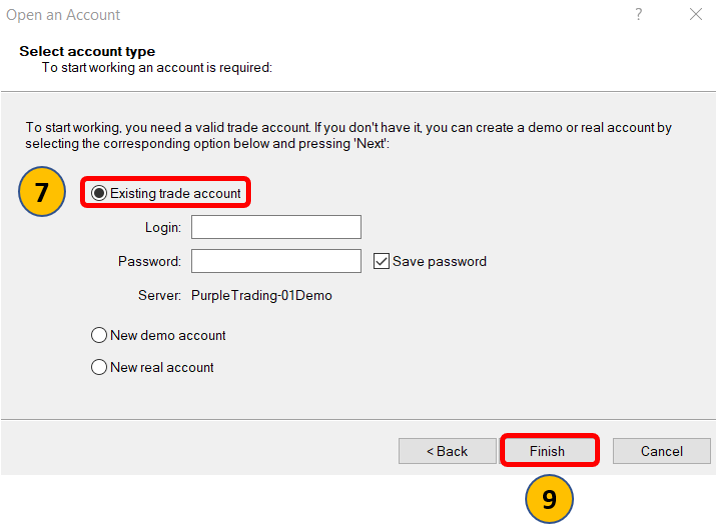
7. Select Existing trade account.
8. Enter your login credentials.
9. Click Finish


