
How to set MetaTrader 4 alerts

Many traders face problems with not being available at the trading platform all the time, hence missing some good trading opportunities. This situation can be prevented by the proper use of platform alerts and their good settings. You can even set up a pairing of these notifications on your mobile phone through the use of the application, email or SMS. It works very simply. In your Meta Trader platform, you just right-click at the price level of your interest and set up the alert.
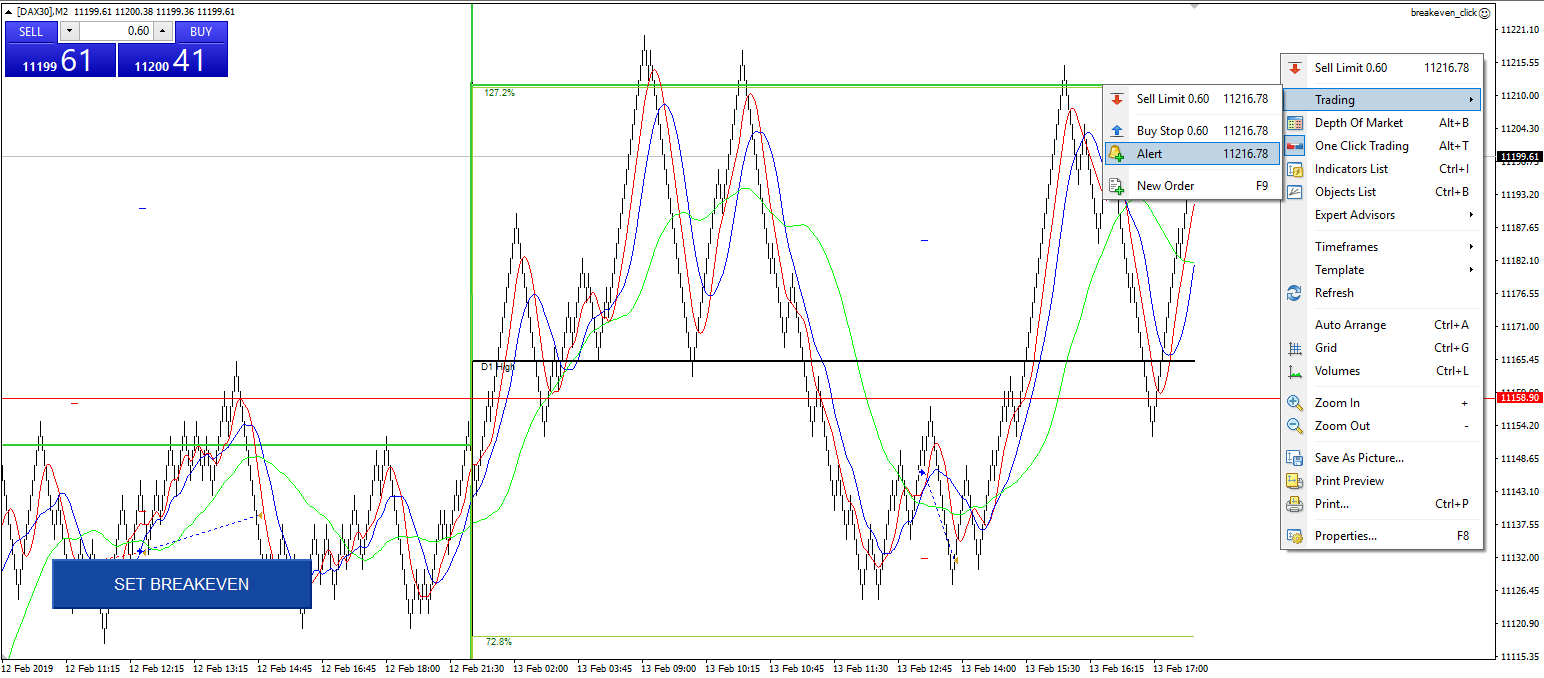
Now, the alert is all set. Normally, only the trading platform will ring an Alarm when the price hits our level. In order to get the alerts to our mobile phone or email, we have to adjust this in the Terminal tab -> Alerts.
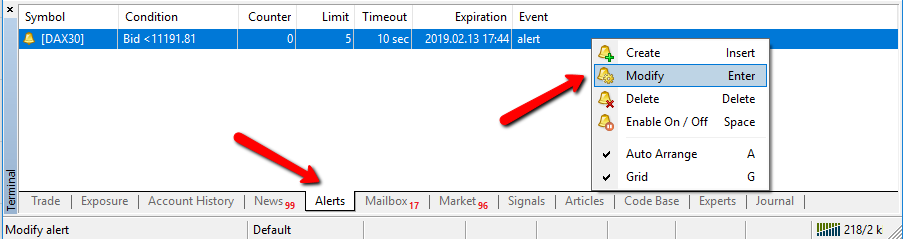
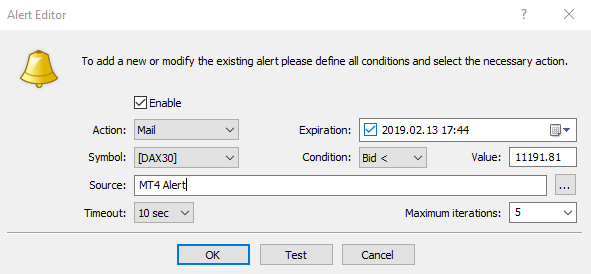
The dialog window opens where we can edit the alerts. We will choose whether we want the alert to be received by email or by notification to our mobile phone. In the section “Source”, we need to write down the text of the notification we want to receive. On the following picture, we can see the alert setup that will send an email with the text “MT4 Alert”. The alert itself is predefined to react only once and only 10 seconds after the price hits the price level. The alert would not sound more than 5x.
The alarm is now properly in place, however, it still won’t send us an email due to the platform not being set for that purpose. This kind of setting can be done in the menu “Tools – Options – Email”. In this tab, it’s necessary to fill in the login details to the SMTP server. SMTP connection is being commonly used by email clients such as MS Outlook, hence being freely available for all mailboxes. For the sake of an example, we’ve just used the settings of a mailbox connection hosted on gmail.com. The dialog window with such settings looks like this.
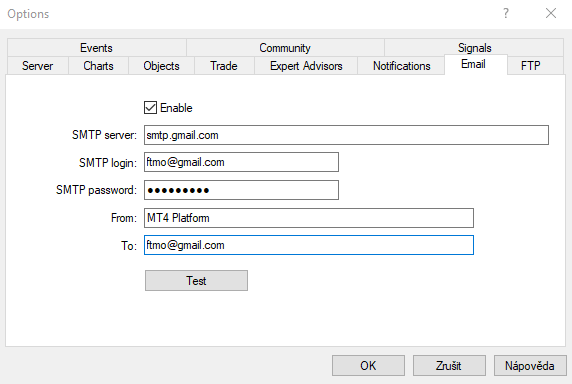
You can easily test the settings. After hitting “Test”, MT4 will send the test email and if everything is correct, you’ll have that email in your mailbox. Now everything is in good order and if you set a new alert according to this tutorial, you’ll receive an email with your alert notification.
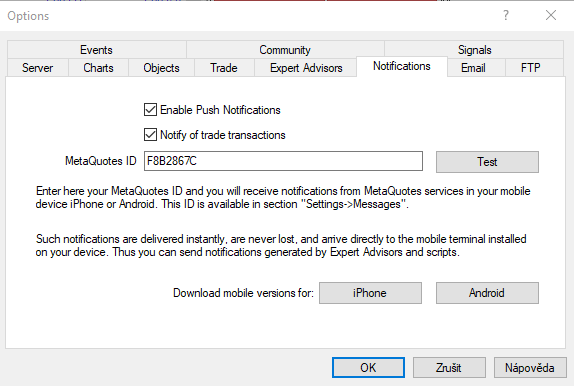
If you wish to receive alerts to your mobile phone, you can set them as notifications. In order for this to work properly, just navigate to the menu “Tools – Options – Notifications”. You need to fill in your MetaQuotes ID which you will find in your mobile phone MT4 application (iOS -> Settings – Chat & Messages; Android -> Chat – MQID at the top bar). Check the following picture.

We have recorded the entire process on how to set up the Alerts in MetaTrader 4 in the form of video tutorial so that you can follow it step by step. If you want more tutorials or videos, give us a like and subscribe to our YouTube channel. Thank you!
Video Instructions:
From now on, you will no longer miss any important market movements as you’ll be able to set up the alert for any important price level and be notified about that right to your email or cell phone.
Toutes les informations fournies ici sont exclusivement destinées à des fins éducatives liées au trading sur les marchés financiers. Elles ne constituent en aucun cas un conseil en investissement ni une recommandation d'investissement spécifique. Pour consulter l'intégralité de notre avertissement, veuillez cliquer ici.


Associé





- Autant de Free Trials que vous le souhaitez
- Jusqu’à 200 000 $ de compte
- Aucune Limite de Temps




Worldwide Reviews